If this is a bulk import report, send the spreadsheet to services@wildme.org with the email subject line matching your bug report
In which Wildbook did the issue occur? Flukebook
What operating system were you using? (eg. MacOS 10.15.3) Mac OS Tahoe 26.3.1
What web browser were you using? (eg. Chrome 79) Latest chrome
What is your role on the site? (admin, researcher, etc) admin
What happened? Sometimes when I am trying to assign encounters to a known ID from the match results page, the ID does not appear in the search bar. I copied a screenshot below as an example. I want to add all the checkmarked encounters to the known individual “CA_Gg127”, but it does not appear in the search bar. CA_Gg127 appears in ‘My Data’ → ‘My Individuals’, so I can’t figure out why it doesn’t appear as an option when attempting to assign new encounters. I have tried going to the encounter page to assign the ID in the “Identity” section, but the known ID does not appear there either and prompts me to create a new ID with that name.
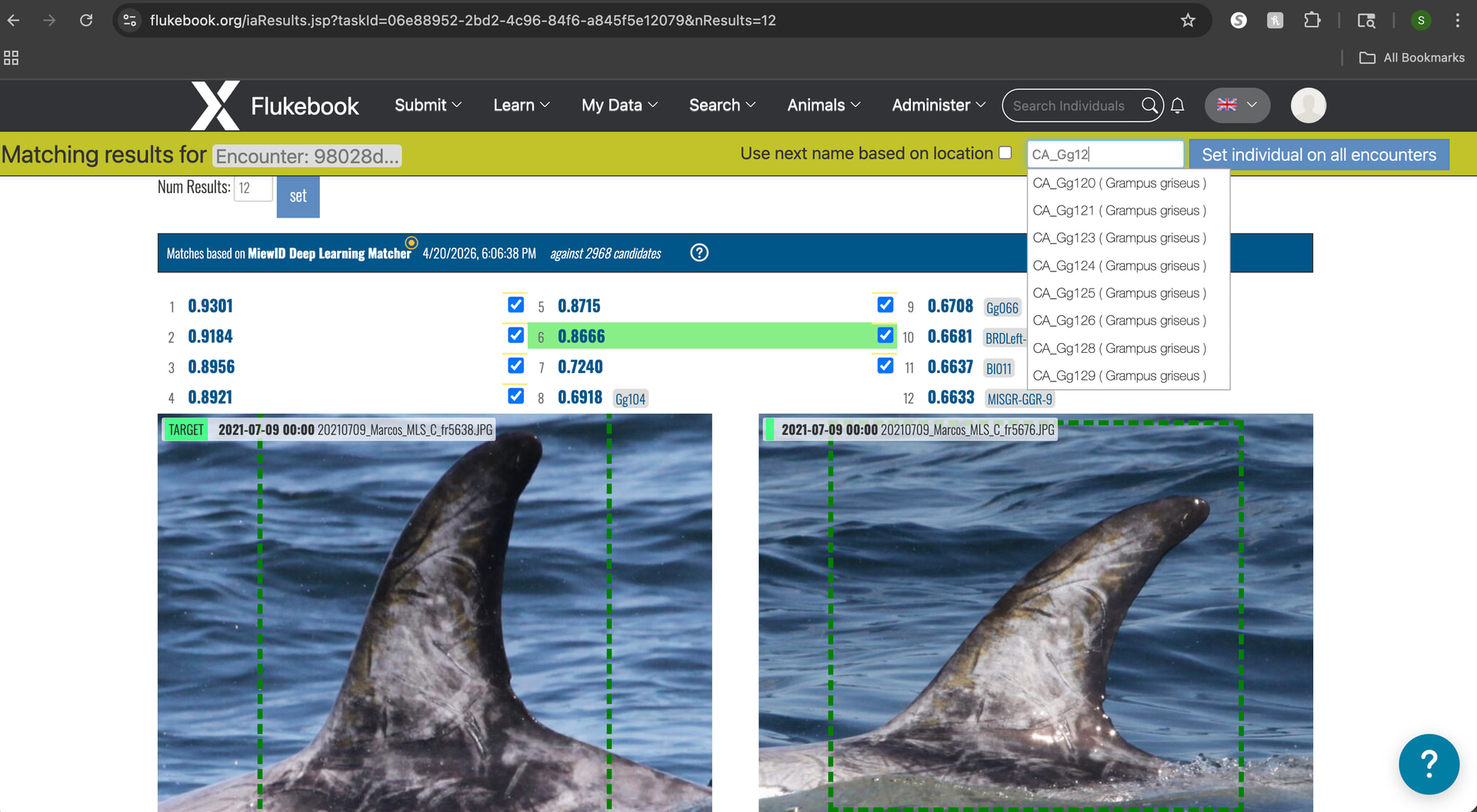
What did you expect to happen? Assign new encounters to a known individual.
What are some steps we could take to reproduce the issue? I am assigning IDs from a bulk import results page. This happens if I created a new ID of a dolphin and then in that same bulk import data I find encounter images of that newly ID’ed dolphin from the opposite side and I try to add it to that newly created ID. Most of the time I have no issues and the ID will appear in the search bar even if I just created it, however sometimes it will not appear. I’ve tried refreshing pages or reloading the match results but that doesn’t solve the issue.