If this is a bulk import report, send the spreadsheet to services@wildme.org with the email subject line matching your bug report
In which Wildbook did the issue occur? Sharkbook
What operating system were you using? (eg. MacOS 10.15.3) MacOS 14.3
What web browser were you using? (eg. Chrome 79) Chrome 145.0.7632.117
What is your role on the site? (admin, researcher, etc) admin
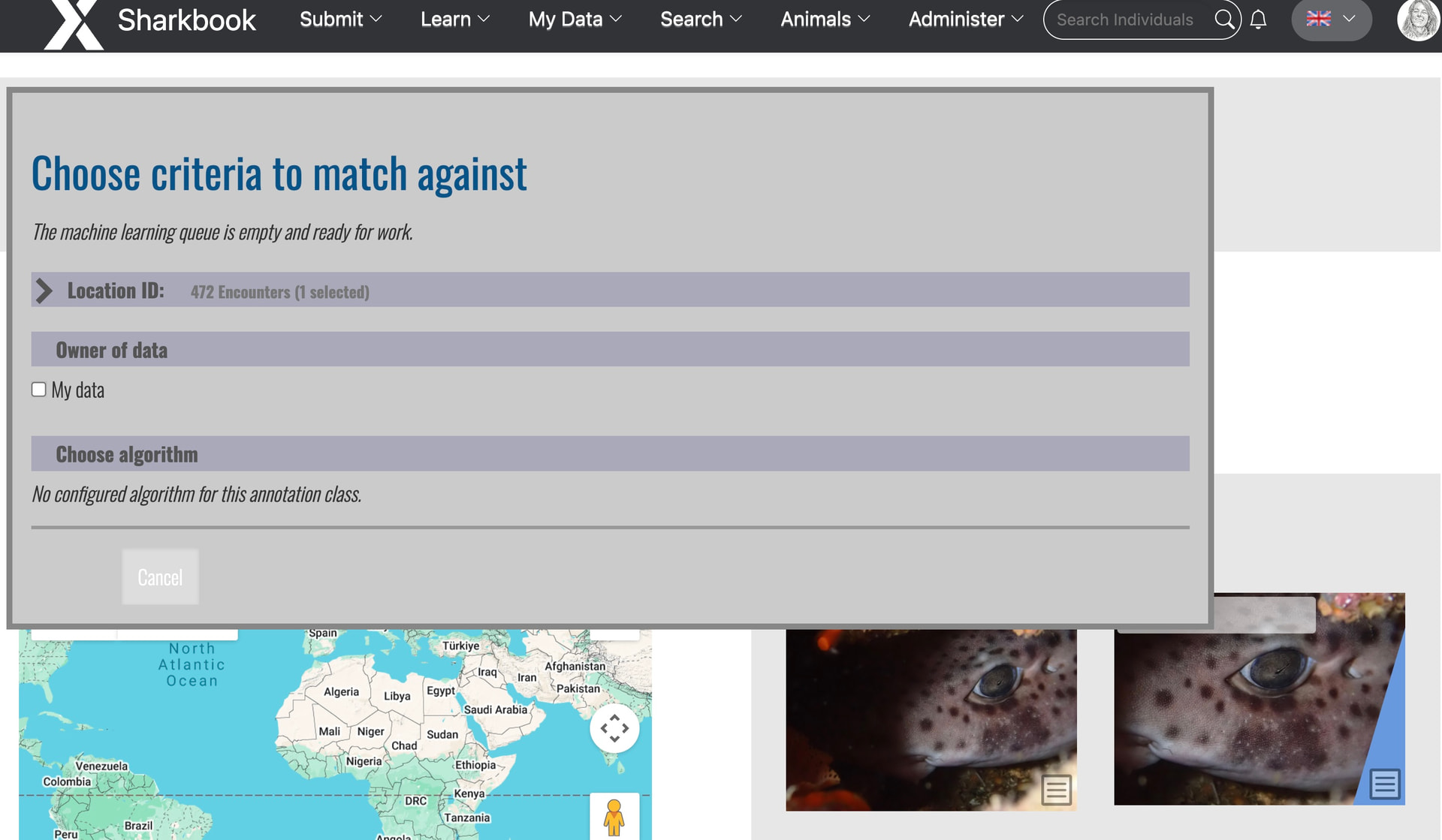
What happened? Hi, I after mapping the spots as I usual I hit to “return to the encounter” (I was told not to use the start scan button), and then “start match”. However, this “No configured algorithm for this annotation class” appeared, so I cannot match my sharks. Thanks for looking into this, Anastasia!
What did you expect to happen? Matching as usual!
What are some steps we could take to reproduce the issue? You can try with:
Sharkbook: Wildbook for Sharks t
or this his one: Sharkbook: Wildbook for Sharks
Thanks for flagging this! I think there’s a bigger bug afoot because when I went to look up the common name for this species, I saw that suddenly there aren’t any species configured in Sharkbook:
I’ll work on this today and let you know as soon as I have an update.
This is fixed now; thanks for your patience! You can match your sharks again.
1 Like
Ciao Anastasia - thanks but it worked once …and then no more.
I was able to match the first image of this shark, but when I added a second image (the left side), the same bug appeared (no configured algorithm). I have added that left side as another encounter, but then again the same message appeared. I tried another shark - same message.
However, if I try to re-match an old, unassigned shark, it does know to use the HotSpotter body pattern-matcher.
I have used both the Classic and new form, in case it helps.
Thanks again - Eleonora
Hi, just for your information, I uploaded another image, spotted correctly but again there is no algorithm to work with.
Thanks!
Eleonora
Thanks for the new example! We’re still working on this. Thanks for your patience.
Hi Anastasia,
I uploaded a new example here. Many thanks for looking into this!
Eleonroa
1 Like
Hi Anastasia,
Sharkbook does not let me in using the usual username/pw!  I tried to reset the pw but it said “An unknown error occurred. Please contact your Wildbook administrator.”
tks
Eleonora
Hi @edesabata
The sign-in issue is resolved now. Sharkbook decided it didn’t want to let anybody sign in today. A restart helped fix it.
1 Like
Hi Anastasia, alas the problem is still there - I tried old uploads and added a new one right now, but always get the same message
Thanks for looking into this again!
Eleonora
Can you share the link to the encounter so I can work on this? Thanks!
Hi @edesabata
I’ve tested the fix and it’s working correctly now. This should fix both new uploads and existing ones.
1 Like
thanks so much Anastasia - working flawlessly. Many many thanks
Eleonora
1 Like