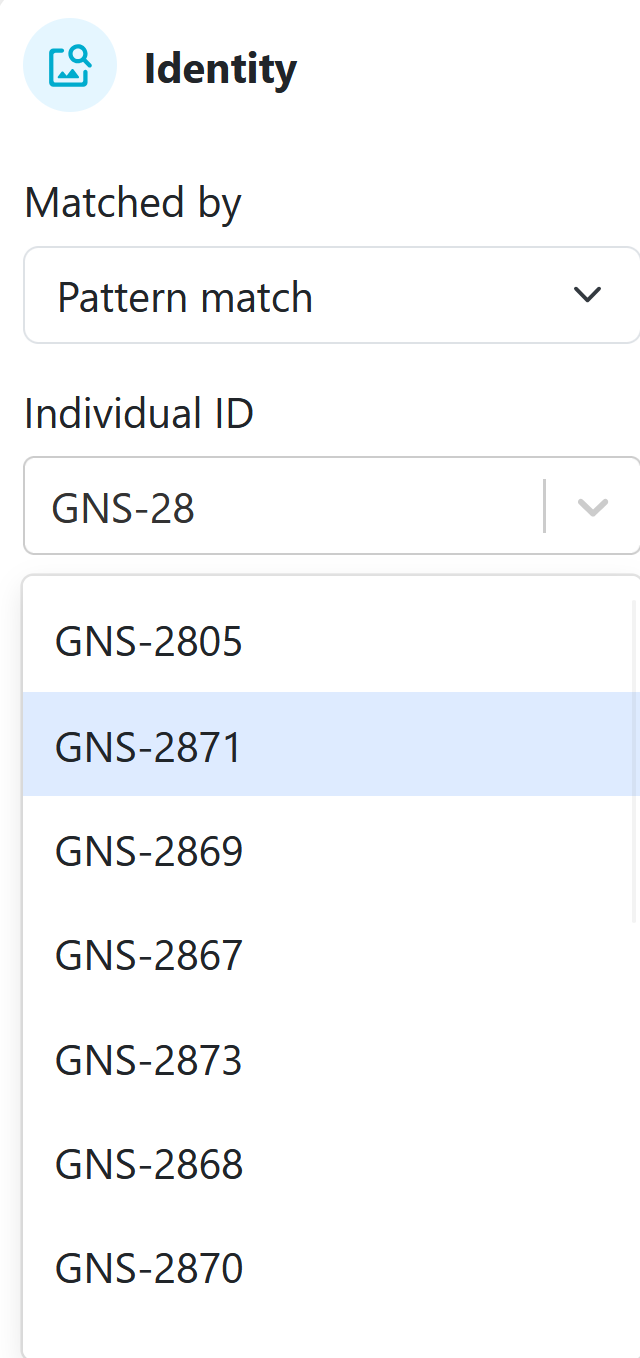
Sharkbook - Dropdown of possible new IDs

When using Sharkbook, all species within have unique identifiers, that do not follow the same structure. E.g. GNS-1234 type IDs and R1234 type IDs are reserved for Carcharias taurus East Coast Australia, so that we don’t accidentally have a situation where a leopard shark, whale shark and grey nurse shark all have the same ID. It is really important that Sharkbook helps researchers select unique IDs.

When creating a new individual, in the previous sharkbook you could start typing for an existing shark ID and it would help by prompting whether that ID had been used before. E.g. you could start typing GNS-28 and it would include in the drop down underneath GNS-2801, GNS-2802, GNS-2803 etc so that you could visually see the next “free” ID to use (eg. if the list stopped at GNS-2803, I would know GNS-2804 would be free for use).

However in the new sharkbook, the dropdown is not doing this important role. It is making it almost impossible to work out which next unique ID is available - see below.

Happy to add more detail if this is unclear at all?
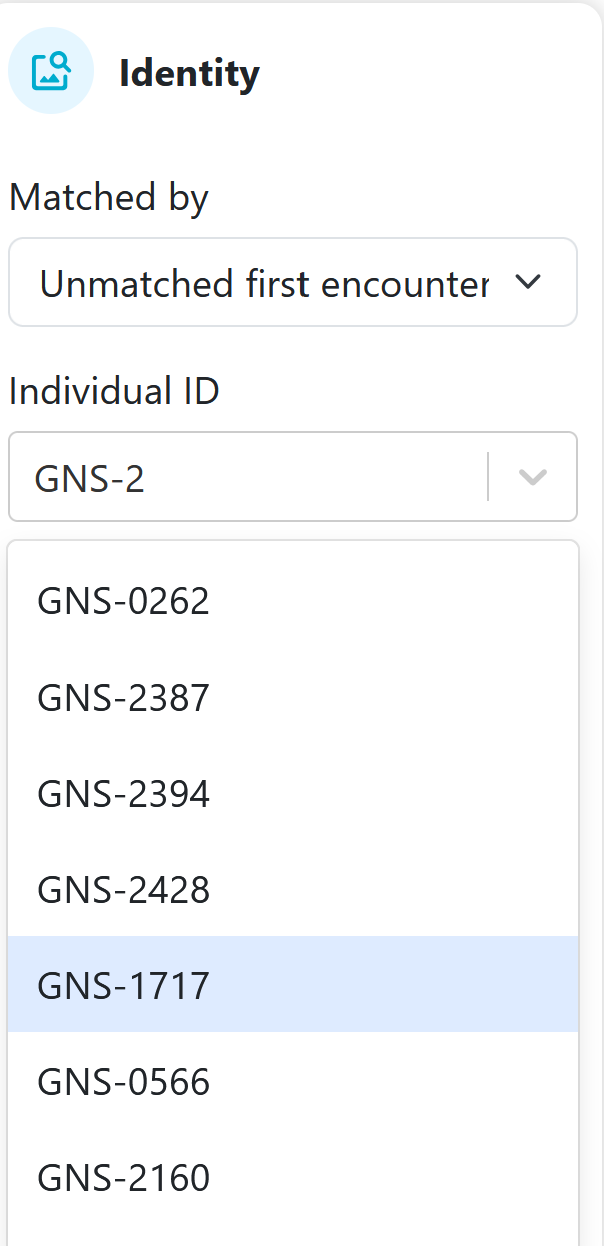
This is actively being worked on here: Fix quicksearch relevance to show exact matches first by JasonWildMe · Pull Request #1543 · WildMeOrg/Wildbook · GitHub

This was fixed and deployed while I was out of the office. Thanks for your patience while I catch up on Community updates!

All good! I know you are juggling many things!

So I think this issue is not fully fixed.

If you look here you can see that the identities GNS-2800 through to GNS-2879 exist. Here is a search to show how they all appear in chronological order when you search individuals:

https://www.sharkbook.ai/individualSearchResults.jsp?noDate=noDate&approved=acceptedEncounters&unapproved=allEncounters&unidentifiable=allEncounters&male=male&female=female&unknown=unknown&alive=alive&dead=dead&measurementlength(operator)=gteq&measurementtemperature(operator)=gteq&satelliteTagName=None&biomeasurement13C(operator)=gteq&biomeasurement13C(value)=&biomeasurement15N(operator)=gteq&biomeasurement15N(value)=&biomeasurement34S(operator)=gteq&biomeasurement34S(value)=&Rty38_alleleValue0=&Rty38_alleleValue1=&Rtyp1_alleleValue0=&Rtyp1_alleleValue1=&Rtyp2_alleleValue0=&Rtyp2_alleleValue1=&Rtyp3_alleleValue0=&Rtyp3_alleleValue1=&Rtyp4_alleleValue0=&Rtyp4_alleleValue1=&Rtyp5_alleleValue0=&Rtyp5_alleleValue1=&Rtyp7_alleleValue0=&Rtyp7_alleleValue1=&Rtyp8_alleleValue0=&Rtyp8_alleleValue1=&Rtyp9_alleleValue0=&Rtyp9_alleleValue1=&alleleRelaxValue=0&individualID=GNS-28&resightGapOperator=greater&resightGap=&firstYearField=&organizationId=None&projectId=None&submitSearch=Search

However, when in an encounter and trying to add an identity, and you open the search bar to look for the identities, as I start typing GNS-28… you can see that not all identities are pulling through, and they are not showing in the right chronological order:

Thanks for the links! I’m seeing inconsistent behavior, too. In one instance, it showed me GNS-2800 and then skipped to GNS-2807 and then when I re-did the quicksearch, it showed me IDs out of numerical order. I’ve updated the ticket to let the devs know this needs another look.