If this is a bulk import report, send the spreadsheet to services@wildme.org with the email subject line matching your bug report
In which Wildbook did the issue occur? Internet of Turtles
What operating system were you using? (eg. MacOS 10.15.3) MacOS
What web browser were you using? (eg. Chrome 79) Chrome
What is your role on the site? (admin, researcher, etc) researcher
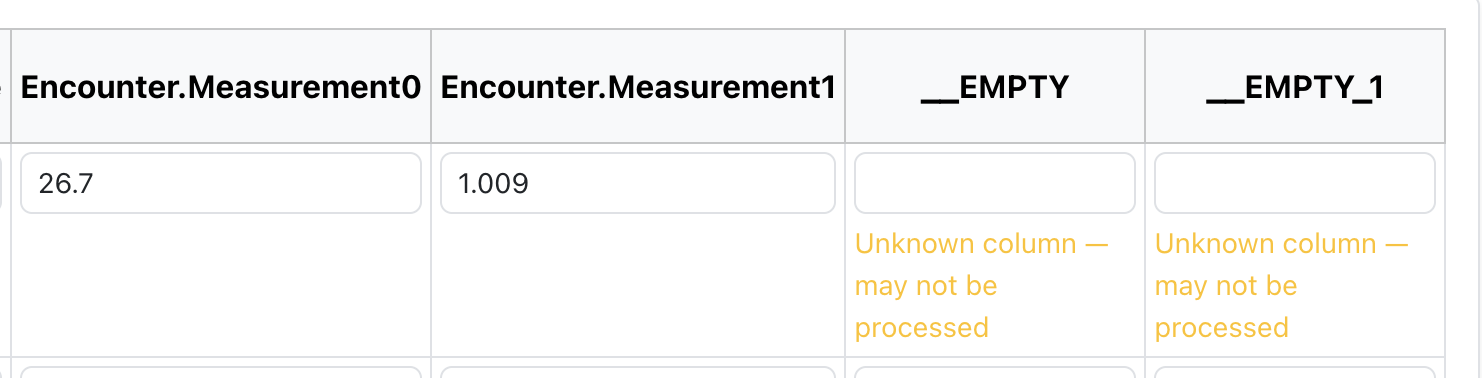
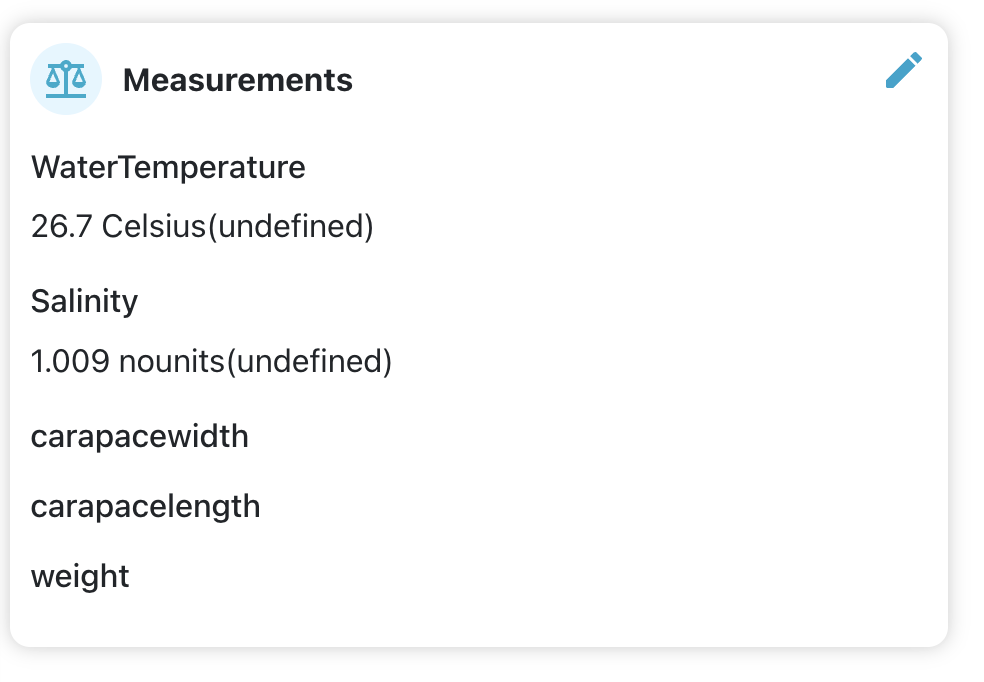
What happened? I submitted a bulk import with water temperature as a field but it doesn’t seem that it was imported - or it’s not being displayed. Sending spreadsheet.
What did you expect to happen?
What are some steps we could take to reproduce the issue?
There’s a known issue with IoT misbehaving when it comes to water temp measurements. Our dev team is working on tackling this now. I’ll let you know as soon as I have an update for you. Thanks for your patience!
Update: Yes, hold off on additional uploads for now. They hope to have that fix ready by today, so hopefully this won’t block you for too much longer. Thanks for hanging in there while we work on this.
I’m not seeing temps for the bulk import I did previously - they were in the spreadsheet I sent you. Would you like me to delete that import and try again?
I’m waiting to hear if the fix was meant to correct measurements for new uploads going forward or if it would display the measurements from past uploads. Feel free to delete and reimport in the meantime to verify the fix.
I removed and re-initiated the bulk upload but DO NOT see the temperatures.
I’m noticing another odd behavior in that some of the photos are not being imported. This last import, the 5th and 26th file didn’t upload. I am able to add the image after the fact (blanking out the filename on the spreadsheet). I’ll submit a bug report with separate topic because my next upload skipped 15 of the 30 files.
Can you try again but replace the Sighting.seaSurfaceTemp field with Encounter.measurement0? This change appeared to work when I tested it with your spreadsheet.
There doesn’t appear to be a way to save the sampling protocol (or if there is, the process is broken). I was able to set in manually in the encounter page using Chrome/Brave. Feel free to share any additional findings here so I can add it to the ticket.
Water temperature Encounter.measurement0 - saves water temperature on the encounter page Encounter.measurement0.samplingProtocol - saves the water temperature sampling protocol on the encounter page. Enter as “directlymeasured” or “estimated”