If this is a bulk import report, send the spreadsheet to services@wildme.org with the email subject line matching your bug report
In which Wildbook did the issue occur? Internet of turtles
What operating system were you using? (eg. MacOS 10.15.3) MacOS
What web browser were you using? (eg. Chrome 79) Chrome
What is your role on the site? (admin, researcher, etc) Researcher
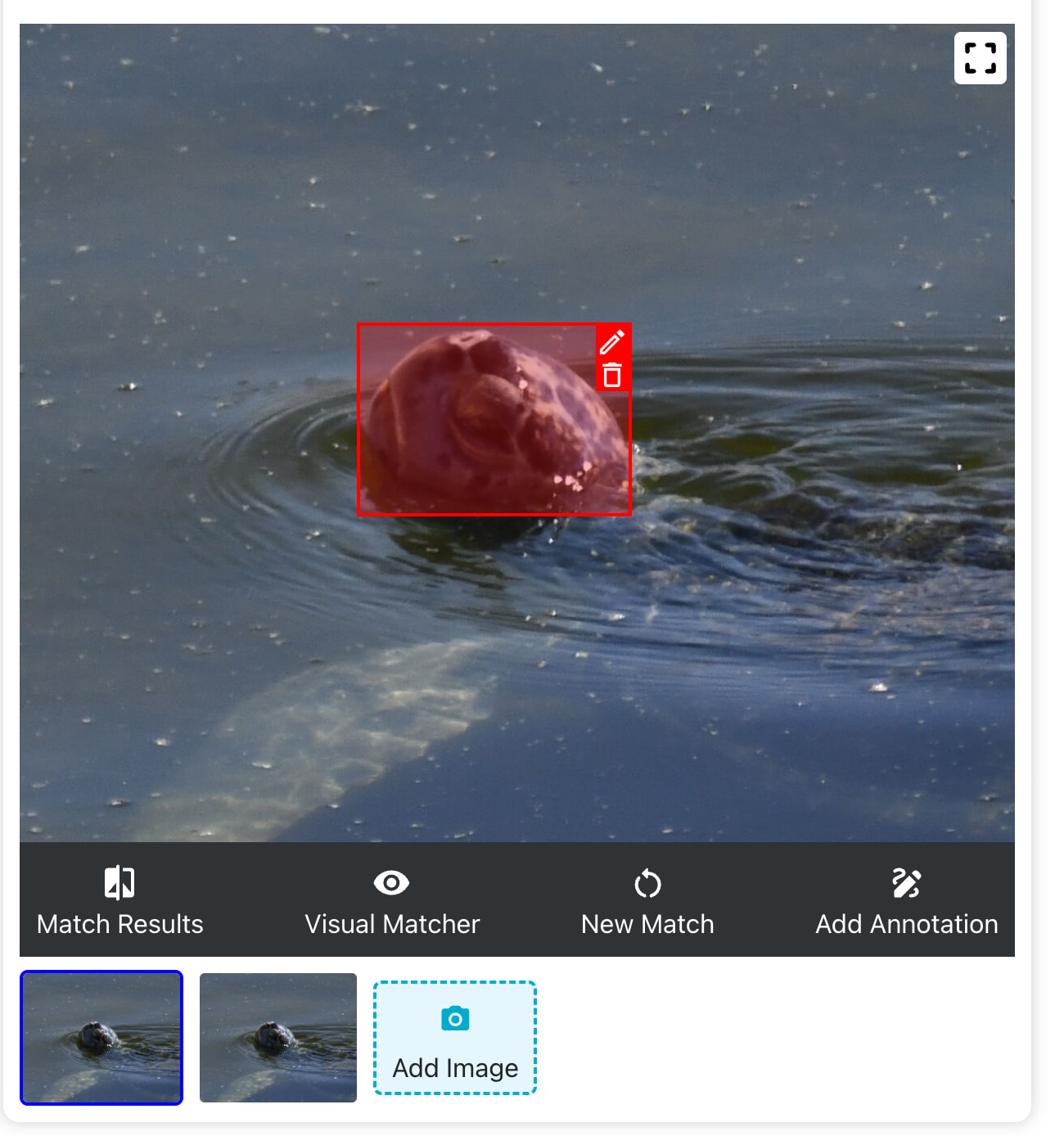
What happened? One of the system-generated annotations was removed, but 2 images remain. When I go from 1 image to the other the annotation appears on both images. If I remove the image with the annotation, I see a shadow annotation (dotted line).
What did you expect to happen? I would like the annotation to display on the image that it’s applied to and the other image would not display the annotation.
The impact of this is that if I delete the image with the annotation, I have to put a new annotation on the image (fair) but, the shadow annotation (dotted box) is also displayed.
What are some steps we could take to reproduce the issue? Here’s a link to an encounter with this issue: https://iot.wildbook.org/react/encounter?number=5734c864-6e91-459a-a0ed-ad7ecb040c56
Hi @GoBeach
I only see one annotation on each image:
I tested deleting the second image in the encounter and I still see the annotation on the primary image, so I think this encounter is good to go. If you see this again, can you post the encounter link so I can test if there’s a bug?
Thank you! These look like they’re both true annotations (one per photo). If it was a traditional cloned encounter, the second annotation would appear as a dotted line on the same photo.
Is this only happening with bulk imported encounters?
Hi, I (so far) only do bulk imports. On these encounters, there was only 1 photo uploaded so having a 2nd photo (that is identical) seems like the system generated a clone of a photo and annotated it.
Thanks for clarifying! This behavior seems to be a bug. I’ll need to do some additional testing and write up a ticket with my findings when it’s ready.
Feel free to either ignore the second duplicate image and annotation or manually delete it in the meantime.
Hi @Anastasia - here’s another example. It was a bulk upload of 1 image and the system annotation created a second image vs a cloned encounter for the 2nd annotation.
I’ll leave this one alone so you can look closer at it as necessary and it will be easy for me to re-do this upload if needed.
https://iot.wildbook.org/react/encounter?number=7bf141a2-570a-4908-b2a9-ad9abb4940ae
1 Like
@GoBeach, sorry for the delayed follow-up; I was out of the office until this week and have been catching up since then.
We’ve made some adjustments to the green turtle detector so that it should stop creating so many duplicate annotations. It’s been working well so far during our testing, but please let us know if it’s not fully resolved. You should now only see one head and one body annotations per turtle (when the body is visible from underwater).