In which Wildbook did the issue occur?
Internet of Turtles
What operating system were you using? (eg. MacOS 10.15.3)
Windows 11
What web browser were you using? (eg. Chrome 79)
Microsoft Edge
What is your role on the site? (admin, researcher, etc)
Researcher
What happened?
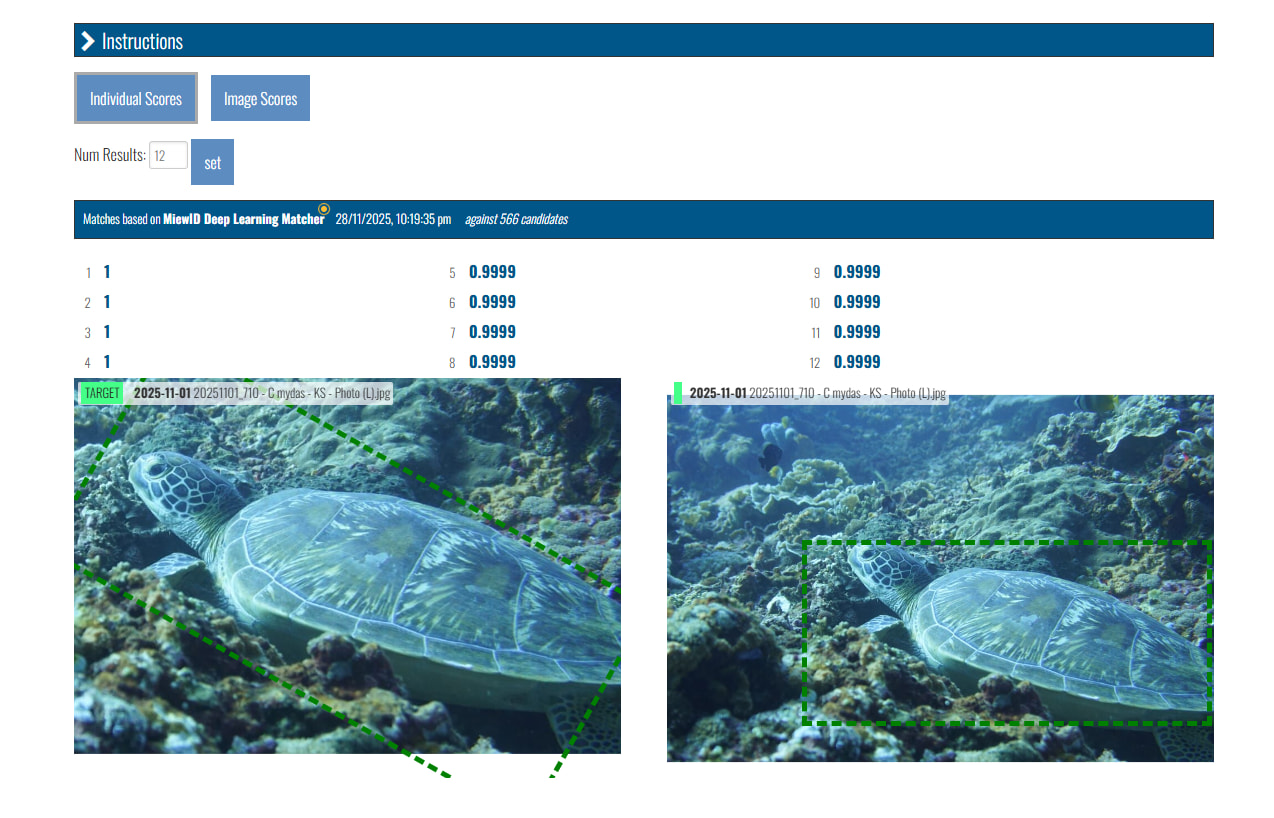
After the system have annotate part of the animal for matching and going into the match results, the suggested matches come back to the picture that was submitted. Screenshot of issue attached. Clicking on different suggestion still comes back to the same submitted photo.
What did you expect to happen?
There should be multiple suggestion of turtle with similar patterns
What are some steps we could take to reproduce the issue?
This might be a whole system issue or a single account issue.
Hi @IndoOceanProject
Can you post the link to this match result so I can research this further?
Hi Anastasia
Here is the link for the encounter page.
And this is the link to the matches
I hope they help.
Cheers
Thanks for the links!
It looks like this encounter was submitted it 20 times in a row as all the matches in the match result are of the same image across multiple encounters. If you click on the match score in each result, it will open the encounter the match candidate came from.
Since these are all public submissions, and at least one of these encounters lists your email address as the submitter, I suspect that you were signed out when submitting the encounter and resubmitted it when you didn’t see it in your recent uploads? You should be able to delete the 19 duplicates (Metadata > Edit > Delete Encounter button). If you’re unable to clean up the duplicates let me know and I will help you.
After those are cleaned up, re-run the match on the original encounter and you should see usable match results.
Hi Anastasia,
Sorry for the late reply as I was away.
The encounters have been deleted but the match result is still not updated. You can still use the link I sent from my previous post to check. If you can help me that would be great
I’ve also encountered another encounter that has been submitted multiple and deleted the extras, but encountered the same problem. The match result does not reflect the current database that it has. After I deleted the extra encounters, it seems to not delete from the match databases.
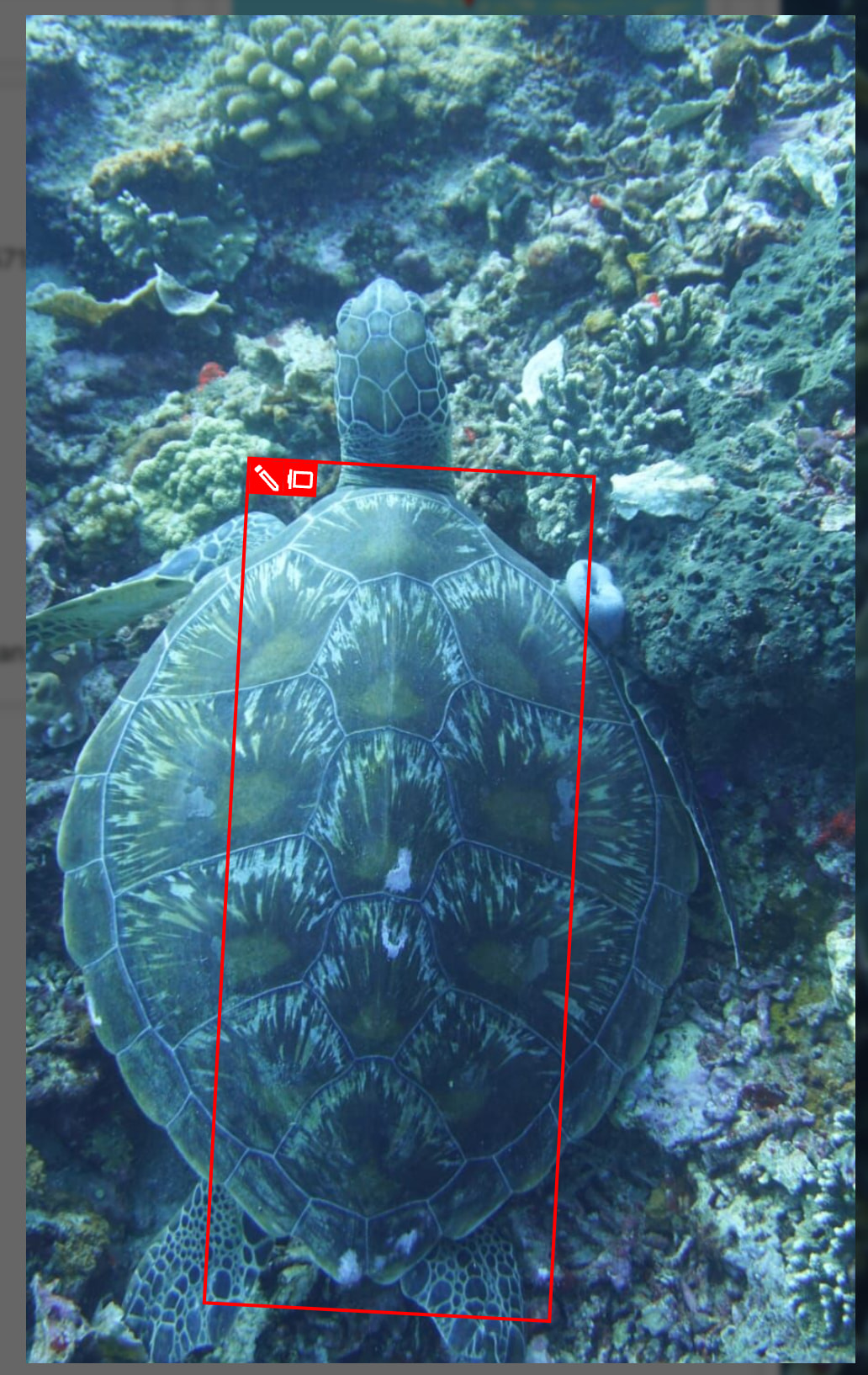
It doesn’t look like you’ve re-run the match yet (the match page still shows the date on the match as Nov 2025). Select the annotation you want to re-match and click the New Match icon.
Also, if you want to re-run matches on this annotation:
You’ll want to edit the annotation using the pencil icon first so that it surrounds the whole turtle and not just part of the shell. After you’ve saved the redrawn annotation, then you can follow the steps above to select the annotation and start a new match.
I also forgot to mention that every match job has a unique task ID. So in order to see the most recent match attempt, you’ll want to view it from the Match Result button on the encounter page. The task ID from the old matching job is still viewable with a direct link and doesn’t get overwritten by running a new match.