Location ID missing on bulk import

If this is a bulk import report, send the spreadsheet to services@wildme.org with the email subject line matching your bug report

In which Wildbook did the issue occur? Internet of turtles

What operating system were you using? (eg. MacOS 10.15.3) Windows 10

What web browser were you using? (eg. Chrome 79) Google Chrome

What is your role on the site? (admin, researcher, etc) Researcher

What happened?

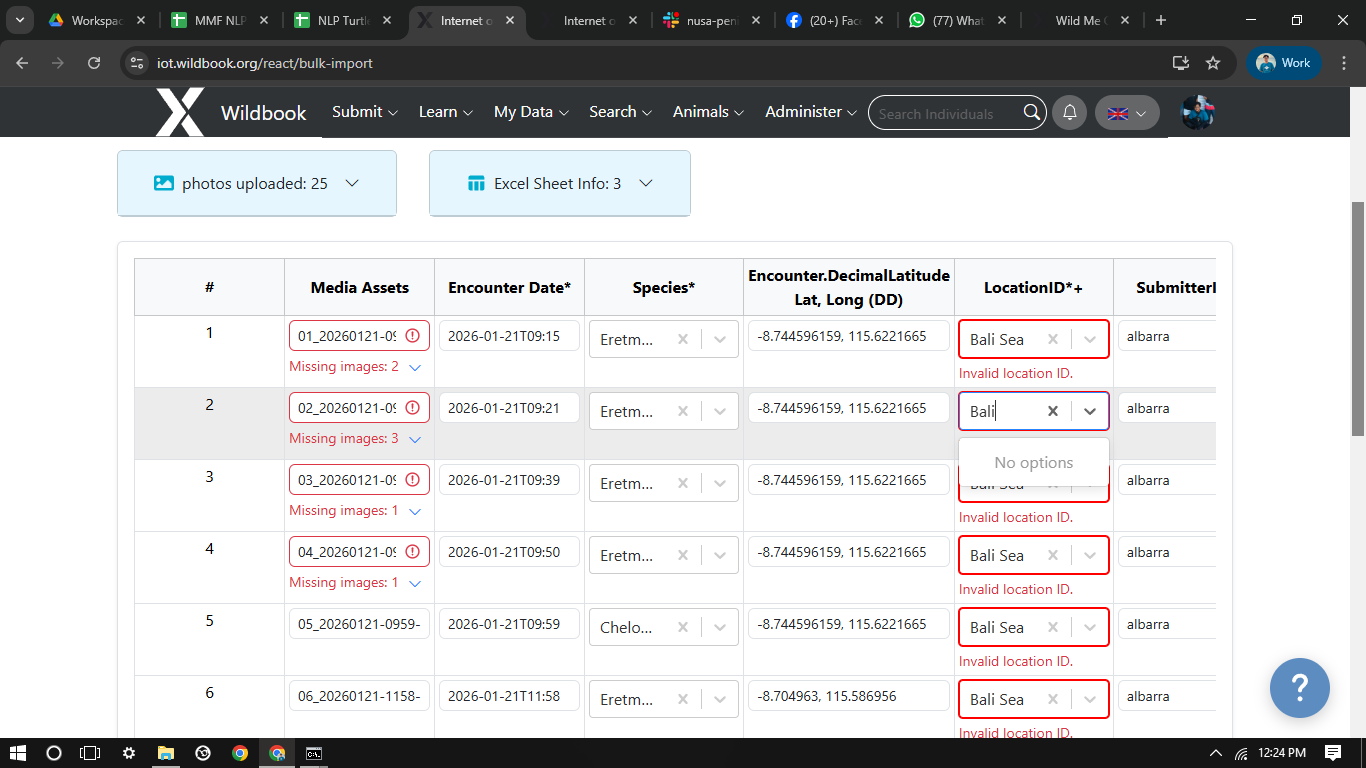
Bali Sea location ID is missing on bulk import, i tried to search it but it shows no option
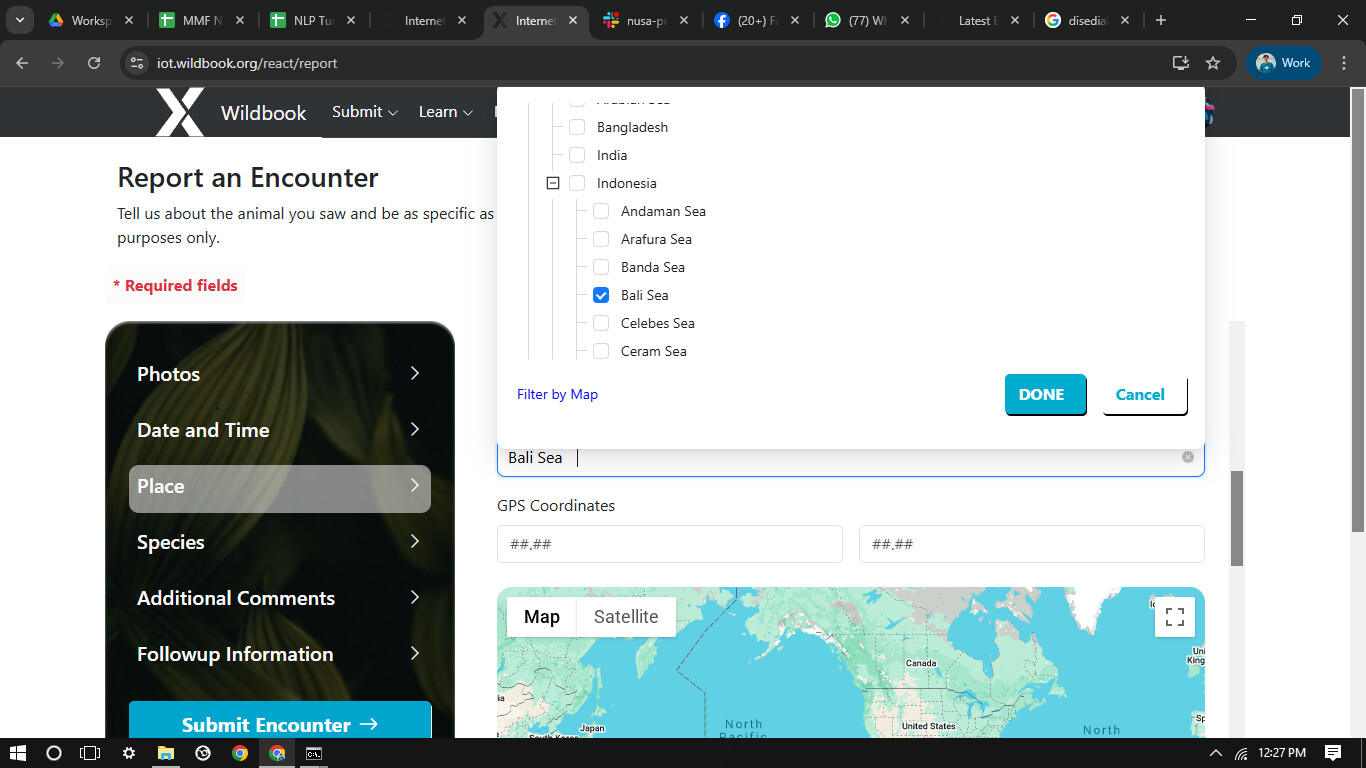
Bali Sea is still available on normal submission
What did you expect to happen?

What are some steps we could take to reproduce the issue?
Hi @albarra

Can you email us your spreadsheet so I can do some testing with it? services@wildme.org. Thanks!

Hi @Anastasia,

I emailed the spreadsheet, but i think i found the issue.

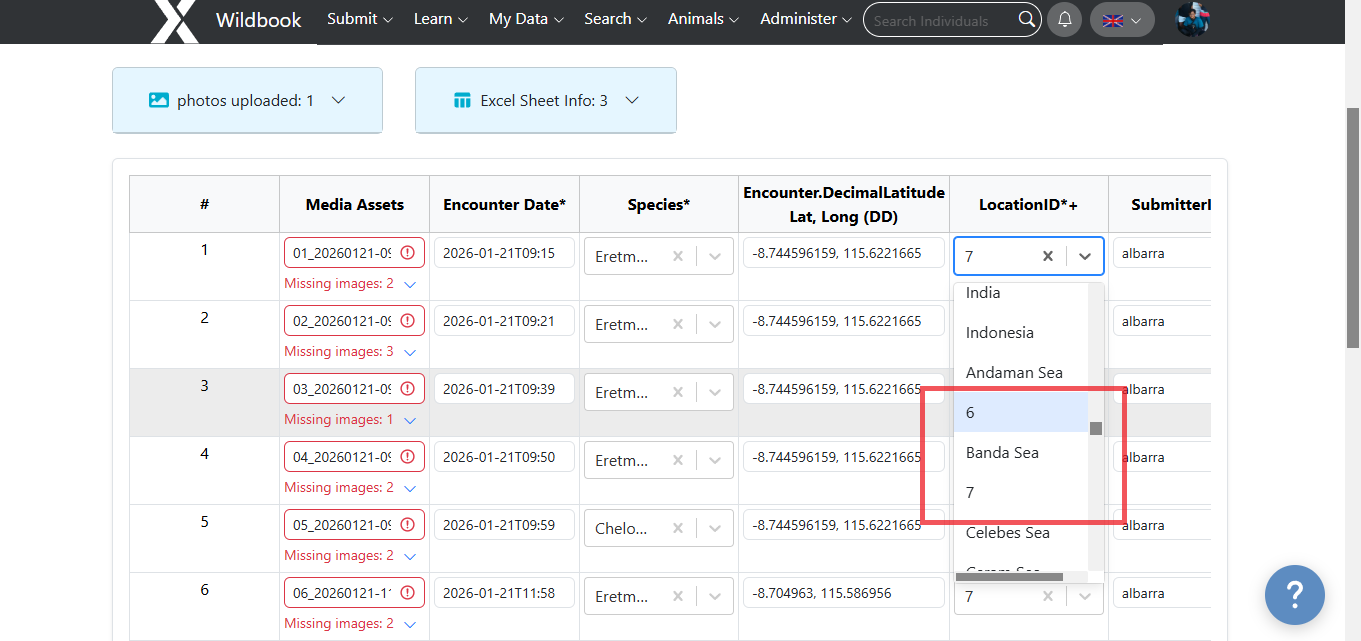
I noticed that Arafura Sea and Bali Sea is shown as 6 and 7 on the bulk import, i submitted the bulk import here with 7 as the location ID and it shown as Bali Sea on the encounter pages.

Great catch, @albarra!

I checked the locationID.json file and I do see that we missed this during the code cleanup last year to make the location ID names readable in the drop-down menu:

{
	"name":"Indian Ocean", "id":"Indian Ocean",
	"defaultLatitude": -20.0,
	"defaultLongitude": 80.0,
	"locationID":[
		{"name": "Arabian Sea", "id":"Arabian Sea" },
		{ "name":"Bangladesh", "id":"BANGLADESH - West", "locationID":[] },
		{"name":"India","id":"India","locationID":[]},
		{"name": "Indonesia", "id": "Indonesia", "locationID":[
			{"name": "Andaman Sea", "id": "Andaman Sea" },
			{"name": "Arafura Sea", "id": "6" },
			{"name": "Banda Sea", "id": "Banda Sea" },
			{"name": "Bali Sea", "id": "7" },
			{"name": "Celebes Sea", "id": "Celebes Sea"  },
			{"name": "Ceram Sea", "id": "Ceram Sea" },
			{"name": "Flores Sea", "id": "Flores Sea" },
			{"name": "Halmahera Sea", "id": "Halmahera Sea" },
			{"name": "Java Sea", "id": "Java Sea" },
			{"name": "Molucca Sea", "id": "Molucca Sea" },
			{"name": "Philippine Sea", "id": "Philippine Sea" }
	] },

I’ve updated the code, so going forward you can just enter “Bali Sea” in your spreadsheet for Encounter.locationID. It will also display as Bali Sea in the drop-down menu when manually setting a location as well.