Request to Restore Edit Access for MMF-Affiliated Accounts

What Wildbook are you working in? Internet of Turtles

What is the entire URL out of the browser, exactly where the error occurred?

Can you describe what the issue is you’re experiencing?

I used to be able to edit all submissions from Marine Megafauna Foundation (MMF) affiliated accounts, but I no longer have that access. Can you help me restore it so I can edit them like before (at least for the area I’m working with - Indonesia)? If that’s no longer possible, should I request edit access for each account individually?

Can you provide steps on how to reproduce what you’re experiencing?

If this is a bulk import report, send the spreadsheet to services@wildme.org with the email subject line matching your bug report
Thanks for letting us know. I’ve added the OrgAdmin role to your account. Can you try again and let me know if that helped?

Hi Anastasia, thank you for your reply.

Sorry, I don’t think it’s working yet. As of now, I still don’t have access to edit, and even don’t have access to view for some MMF submission. Do you think I need to manually request edit access for each account individually? Or maybe you could check the access/settings for my MantaMatcher account, because it seems to be working fine there.

Another thing is I think I also don’t have access to edit public submissions.

Thank you

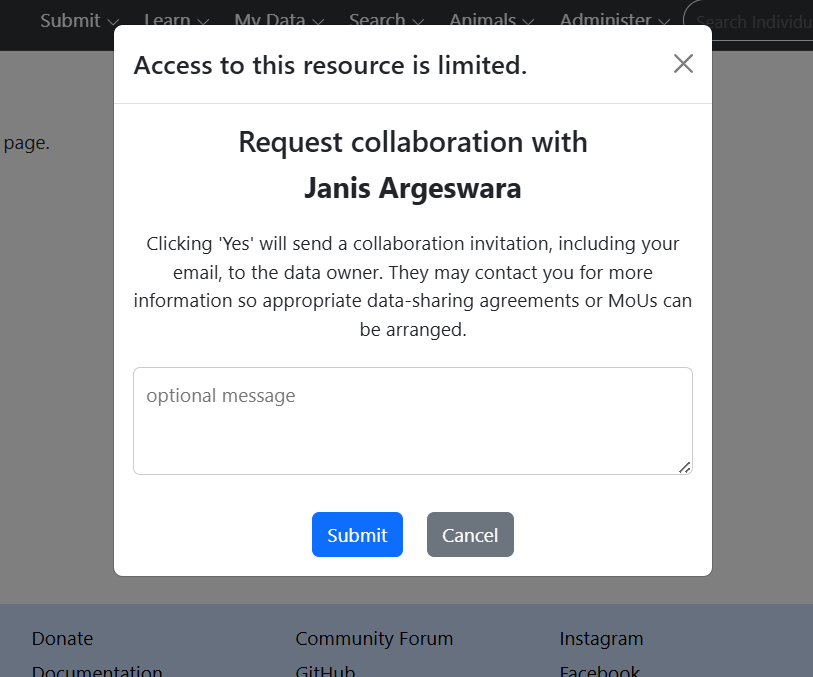
It looks like Janis isn’t actually part of an organization in IoT. If a user doesn’t have an organization assigned to them, then it will ask you for a collaboration if you try to access their data. As an Org Admin, you can add or remove people from your orgs in the User Management Menu (under Administer). Instructions are in our help docs for Org Admin.

I checked her account and it looks like she is already part of MMF. I also checked other submission submitted by other MMF-affiliated account, but I can’t get the access to edit their submission.

I’m not referring to their email addresses, I’m referring to the Organization membership setting on that page:


Neither of their accounts have the orgs selected. Select one or both to add them to and then click the Save button.

Hi Anastasia, sorry for the late reply. I have tried to update the Organization membership of our accounts, but some are still not working. This one as an example:

https://iot.wildbook.org/react/encounter?number=635a9fed-d2e8-4188-b3c3-075eaa4ba42e


Can you take a look? thank you

This does seem like a permissions bug. I’ll talk to the devs about it. Let me know if you find other examples of encounters from your org members that ask you for a collaboration to view.

Thank you. Here is a slightly different example, I can view the encounter but I can’t edit or assign individuals, and also I can’t check the submitter email. https://iot.wildbook.org/react/encounter?number=cbfb1db0-c1f1-4d97-8e74-9b5ec578b857

In our backlog, I can check that this submission is submitter by Ariq Trisarjono (one of our research assistant), supposedly using username: UNUD (UNUD@marinemegafauna.org). Can you check who is the submitter from your end?

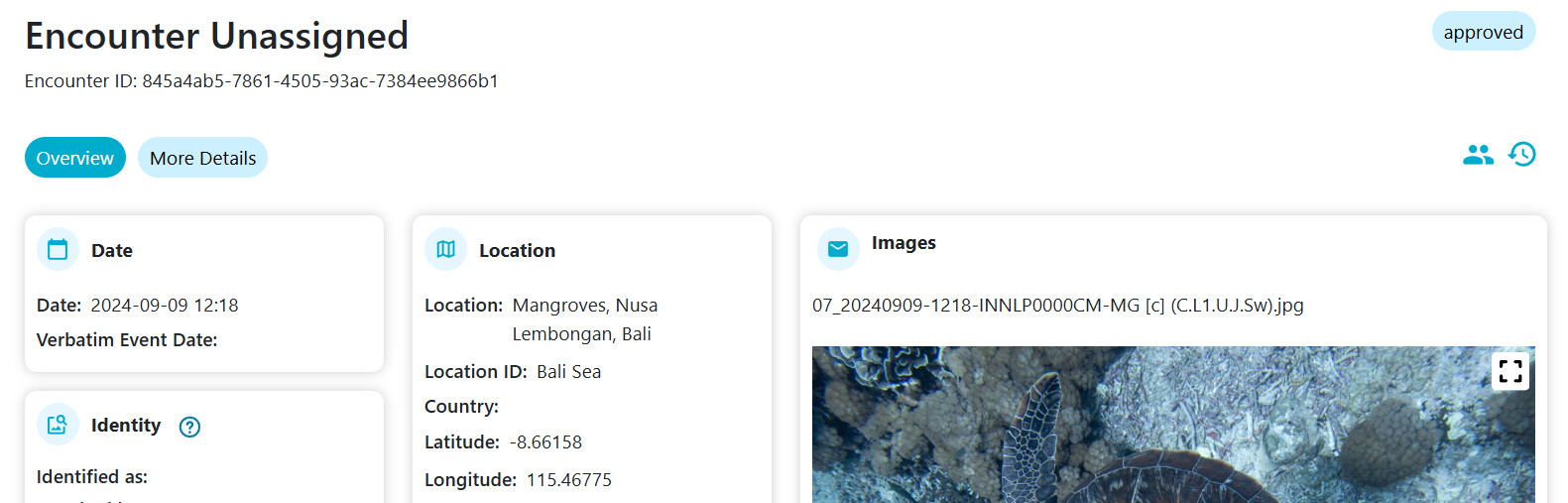
This encounter is from a bulk import that had no submitter ID in the spreadsheet. Which is odd, because since the bulk import upgrade, it should validate that the username exists and prevent the import from being saved without a user to assign the encounters to.

Can you email the spreadsheet for that import to services@wildme.org?

Wait, I just noticed this import was uploaded in 2024, which would have been before the updated bulk import workflow came out. I’ve manually updated the owner of the encounters. Let me know if you can see them now.

Btw, I’ve hidden this topic since we don’t want people’s email addresses visible to the public. You and I should still be able to view and reply here.

I see, thanks for clarifying. Unfortunately, I don’t have the spreadsheet from the previous bulk import.

Now that you’ve manually updated the owner, I’m able to access it. Just to confirm, if I can’t access an encounter or check the submitter, is it likely due to a missing submitter ID from the spreadsheet? And in those cases, would I need your help to manually update it so I can gain access?

Thanks again, and I’ll wait to hear more about the permission bug.

If the Assigned User portion of the Metadata section is empty on the encounter page, that’s your clue that it was imported without a submitted ID in the spreadsheet.

Thank you, I’ll let you know when I encounter more errors.

Thanks so much for your patience. Gabriela’s encounter was one of several that were for one reason or another, not linked to actual usernames. It’s likely these were a result of incorrect submitter IDs in a bulk import before the bulk import tool would leave an encounter unassigned if the username was invalid. This led us to finding and fixing other examples of encounters with invalid usernames and assigning them to the correct usernames.

Thank you Anastasia. If I encounter the same problem, I’ll ask for your help to access it.

1 Like